

Dataflow Gen2: 5 Tips to Go Faster and Spend Less
If your Dataflow Gen2 takes forever to build and even longer to refresh, you’re paying twice: your time and your capacity. These 5 tips speed up authoring, cut refresh time, and lower the bill—without rewriting everything.
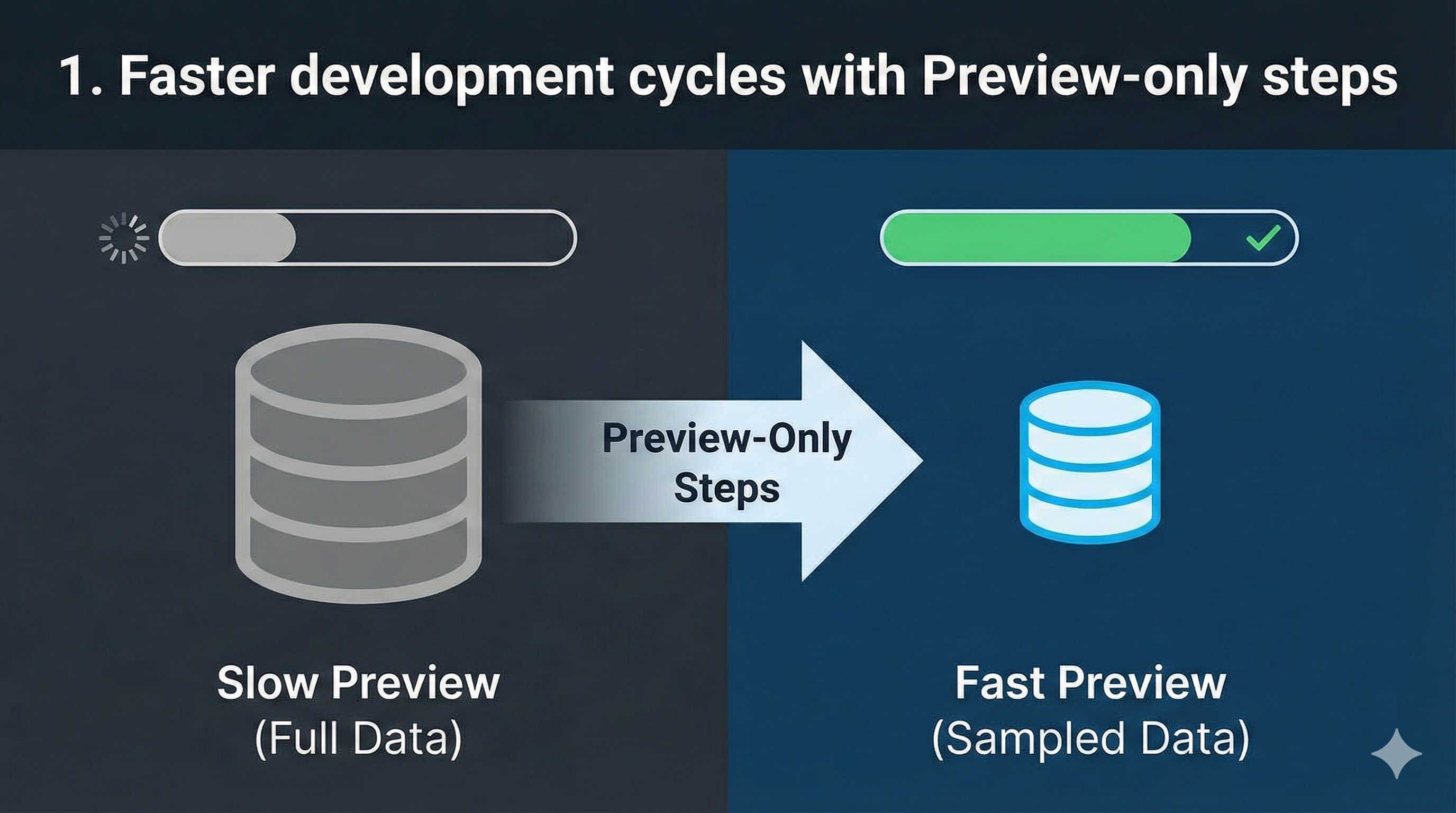
1. Faster development cycles with Preview-only steps
Docs:
Why this matters
If you’ve ever thought “I know what I want to do… I just don’t want to wait 90 seconds for preview to refresh every time I touch a step” — welcome to the club (EST. 2013)
Dataflow Gen2 authoring can feel slow not because your logic is slow, but because preview is trying to be helpful and keeps pulling too much data, too often. That kills experimentation, and when experimentation and exploration dies… so do the optimizations.
Preview-only steps are basically: “Let me work fast in the editor without changing what runs in production.”
How to do it
Use the editor like you’re in “dev mode”:
- Add a
Table.FirstN()step (ex: 500 rows) - Filter to “last 7 days”
- Keep only the columns you’re actively working with
- Any quick sampling trick that makes preview light
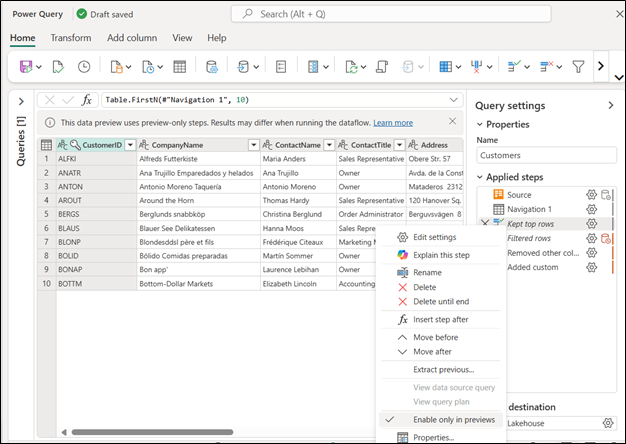
Then mark those as Preview-only steps so they only affect preview.
What to expect
- Your authoring loop becomes night and day faster.
- Your production refresh doesn’t change (because preview-only steps don’t execute during refresh).
- Pro tip: name them something obvious like
DEV - Sample Rowsso nobody accidentally thinks it’s part of the final logic.
2. Leverage ELT patterns: Stage first, transform later (especially for throttled sources)
Docs:
- https://learn.microsoft.com/en-us/fabric/data-factory/decision-guide-data-transformation
- https://learn.microsoft.com/en-us/fabric/data-factory/dataflow-gen2-performance-best-practices
](https://www.thepoweruser.com/media/posts/578/Gemini_Generated_Image_u57tj2u57tj2u57t-1.png)
Why this matters
Some sources are just… painful.
- APIs throttle
- SaaS endpoints are slow
- On-prem gateways have “moods”
- Anything network-related becomes your bottleneck
And when your source is the bottleneck, you end up debugging the wrong thing:
“Is my M slow?”
When the real answer is: “Nope — your source is slow.”
This is where ELT shines: download once, work fast forever.
How to do it
The pattern is simple:
- Bronze layer: pull data from the slow source into OneLake (Lakehouse/Warehouse/Fabric SQL/etc.) with minimal transformation.
- Silver layer: point your Dataflow Gen2 at the bronze copy and do the shaping/business logic there.
If Fast Copy applies to your scenario, it can be a nice accelerator for ingestion. But even without it, just staging to OneLake is a massive workflow upgrade.
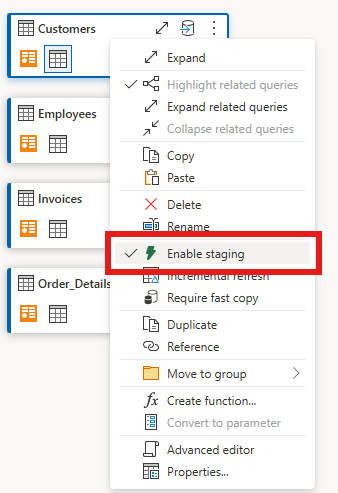
Note: You could leverage a different tool such as Copy Data, Mirroring or other item in Fabric to bring data into a Bronze layer of your choice and then connect to it using any of the Fabric connectors within Dataflow Gen2.
What to expect
- Authoring gets way smoother because preview is no longer “calling the internet” for every change.
- Refresh becomes more predictable.
- You trade “one more layer” for significantly less suffering (and usually less capacity burn too).
3. Parameterize your Dataflow and work modular
Docs:
- https://learn.microsoft.com/en-us/fabric/data-factory/dataflow-parameters
- https://learn.microsoft.com/en-us/fabric/data-factory/dataflow-gen2-parameterized-dataflow
- https://learn.microsoft.com/en-us/fabric/data-factory/dataflow-gen2-cicd-alm-solution-architecture
- https://learn.microsoft.com/en-us/power-query/power-query-query-parameters
Why this matters
If you build dataflows without parameters, you eventually hit one (or all) of these:
- You can’t test quickly without hitting the real source
- Debugging is painful because you can’t reproduce “the exact scenario”
- You copy/paste dataflows for dev/test/prod and now you have triplets of everything
Parameters fix that. And public parameters go further: they let you run the same dataflow with different behaviors without editing the thing every time.
How to do it
Here’s an easy win that I use constantly:
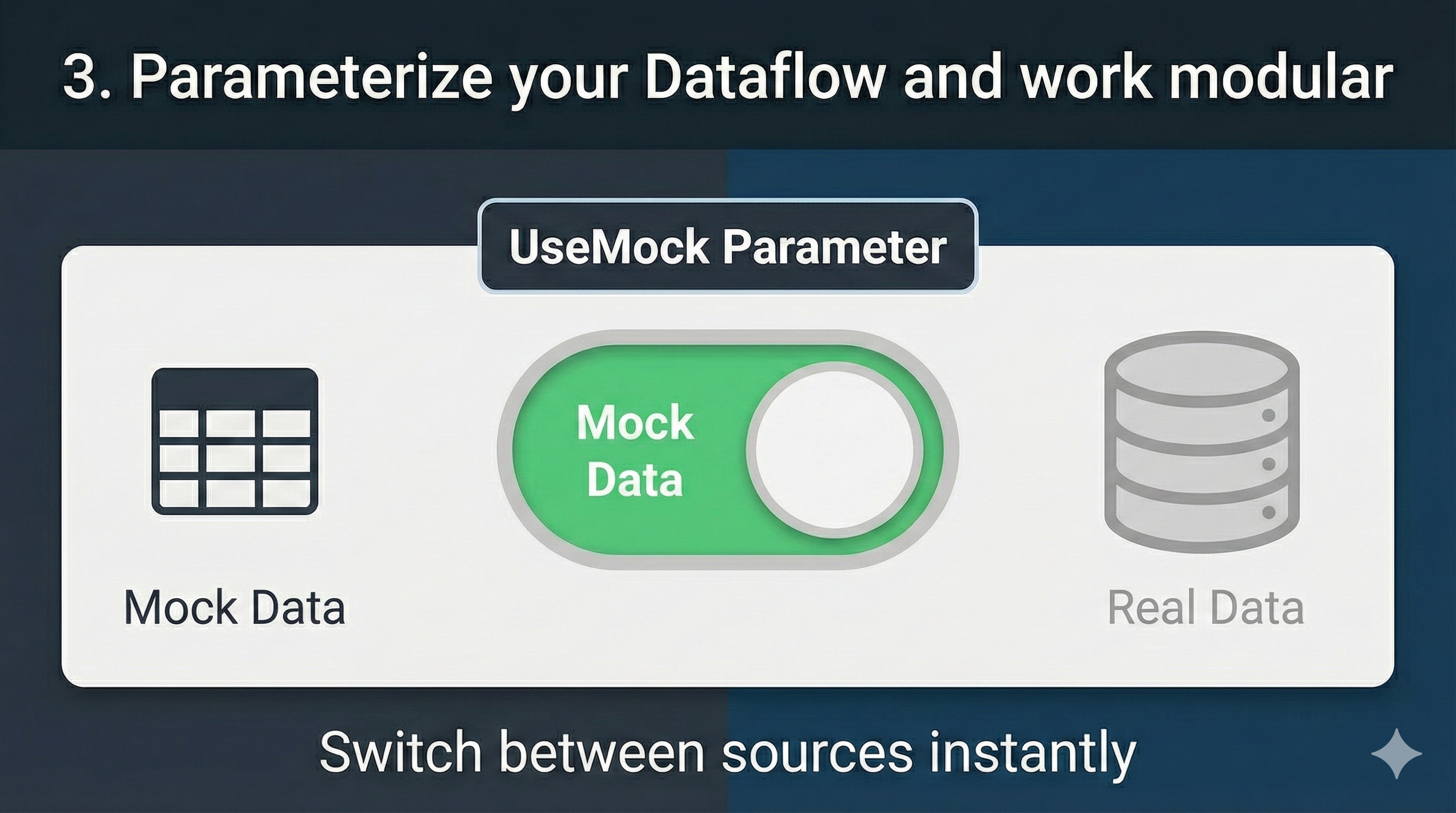
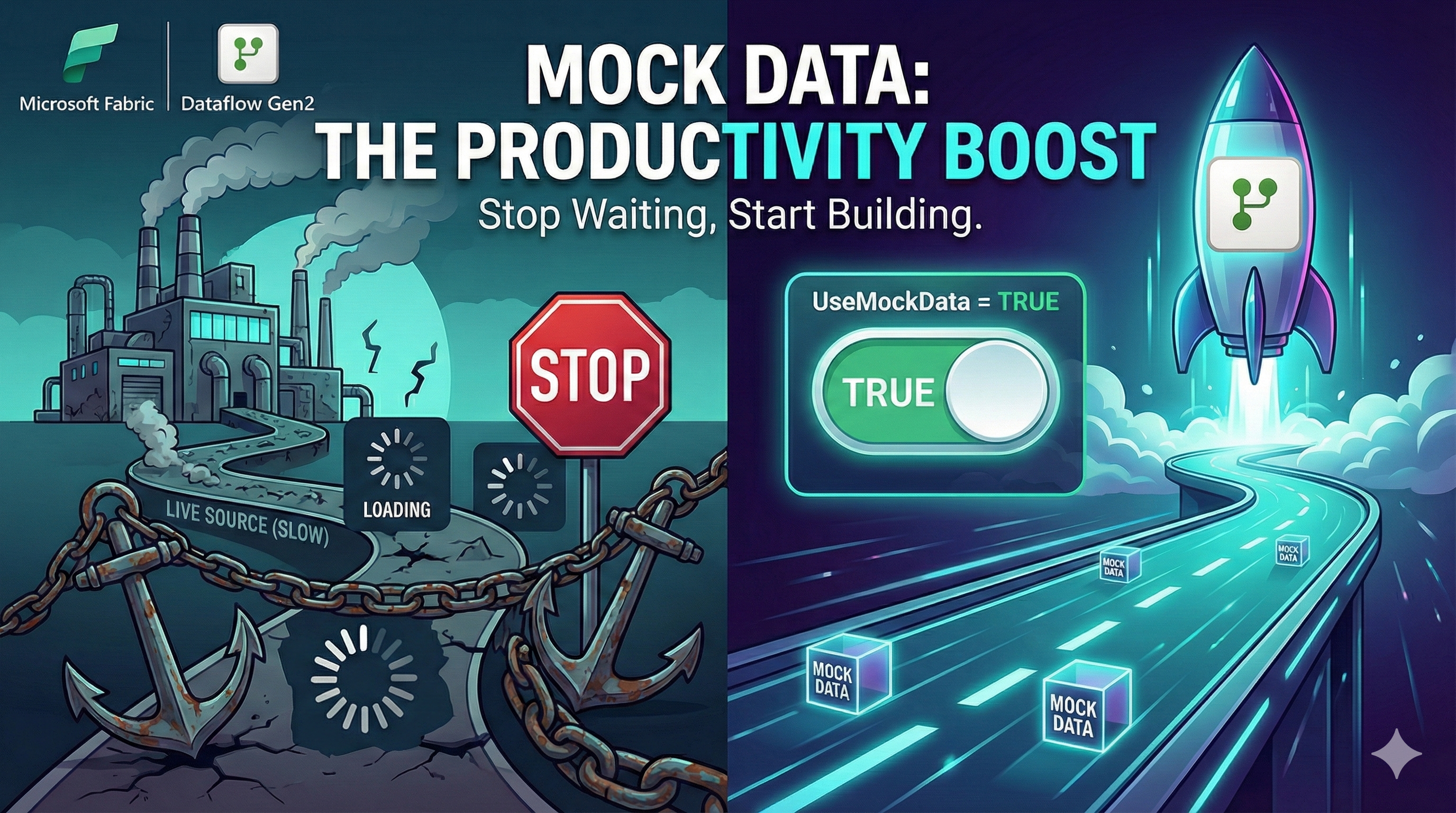
Pattern: Mock vs Real source
- Query 1:
MockData(small table, or sample file, or last 7 days) - Query 2:
RealData(your actual source) - Parameter:
UseMock= true/false - Source step does: “if UseMock then MockData else RealData”
Now you can develop at full speed using mock/sample data, and flip the switch when you’re ready — without rewiring the whole dataflow.
Bonus: parameters give you way more clarity when debugging:
- “It fails only when parameter X = Y”
- “It works for one environment but not another”
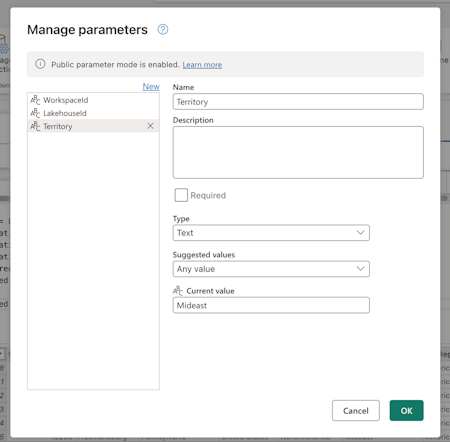
That’s a gift when you’re troubleshooting.
What to expect
- Faster authoring (because you’re not always waiting on the real source)
- Easier debugging (because you can reproduce exactly)
- Better maintainability (fewer clones, less “which dataflow is the real one?”)
4. Use folding indicators + Query plan
Docs:
- https://learn.microsoft.com/en-us/power-query/query-folding-basics
- https://learn.microsoft.com/en-us/power-query/query-folding-examples
- https://learn.microsoft.com/en-us/power-query/step-folding-indicators
- https://learn.microsoft.com/en-us/power-query/query-plan
Why this matters
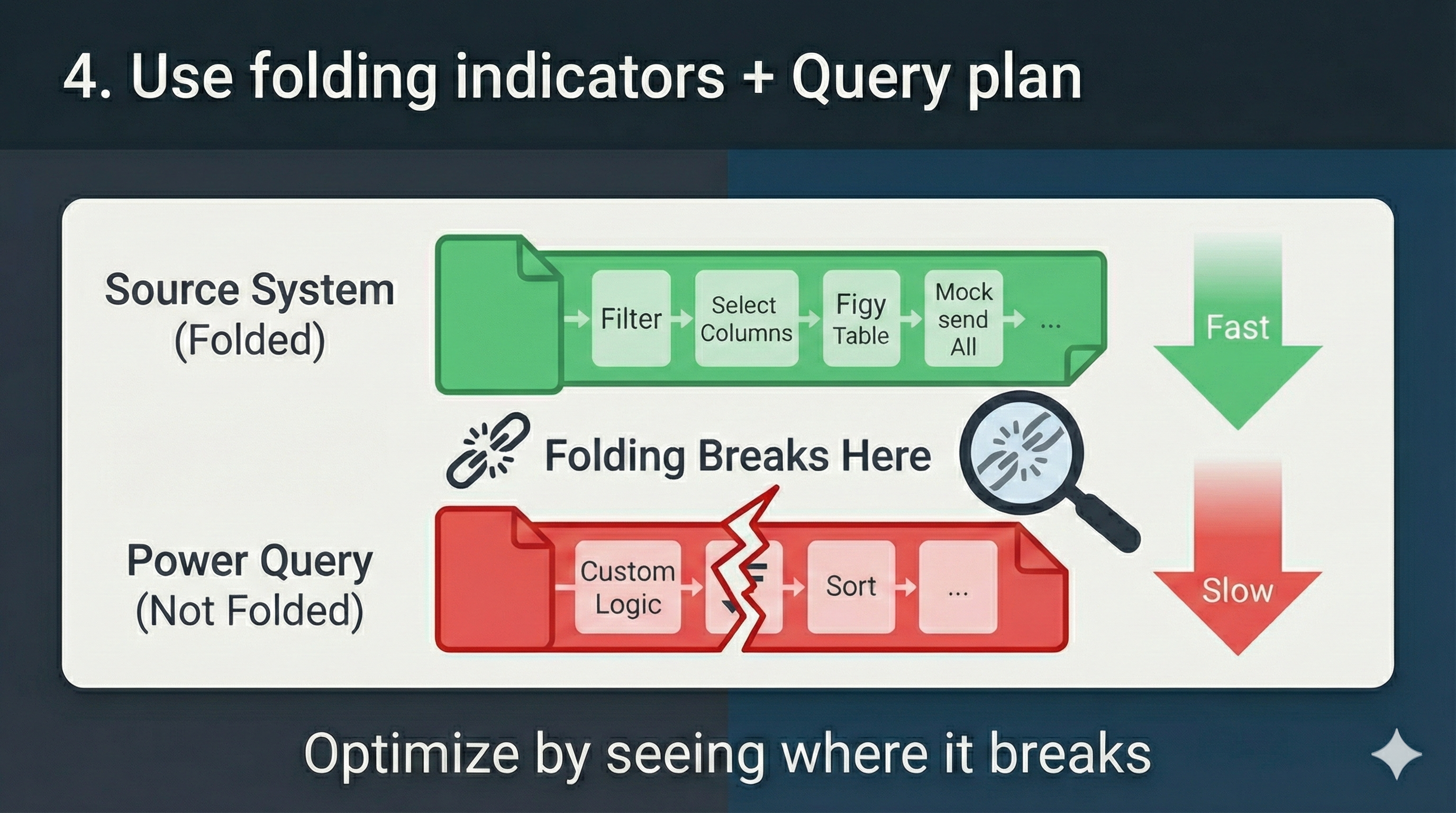
Query folding is the difference between:
- The source system does the heavy lifting (fast, scalable)
- Power Query does the heavy lifting (slow, expensive)
And the improvement can be dramatic. Like: “this was taking hours, now it’s minutes.”
But here’s the catch: you don’t optimize folding by guessing.
You optimize folding by seeing where it breaks.
How to do it
Use two tools as your compass:
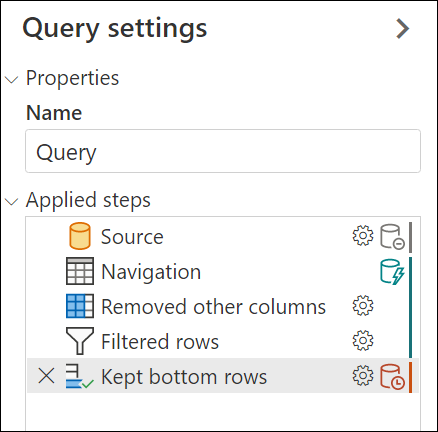
Query Folding indicators
They tell you “folding is still happening” vs “folding broke here.”Query plan
This is where you go when the indicator says “it broke” and you want to understand why.
Typical fixes that help folding:
- Filter early (reduce rows ASAP)
- Keep only needed columns early
- Do merges/grouping in ways your source can fold
- Avoid custom row-by-row logic too early
What to expect
- Sometimes you’ll get massive wins quickly.
- Sometimes folding won’t be possible due to connector limitations.
- The goal isn’t “100% folding” — it’s “fold as much as you can before you do the non-foldable stuff.”
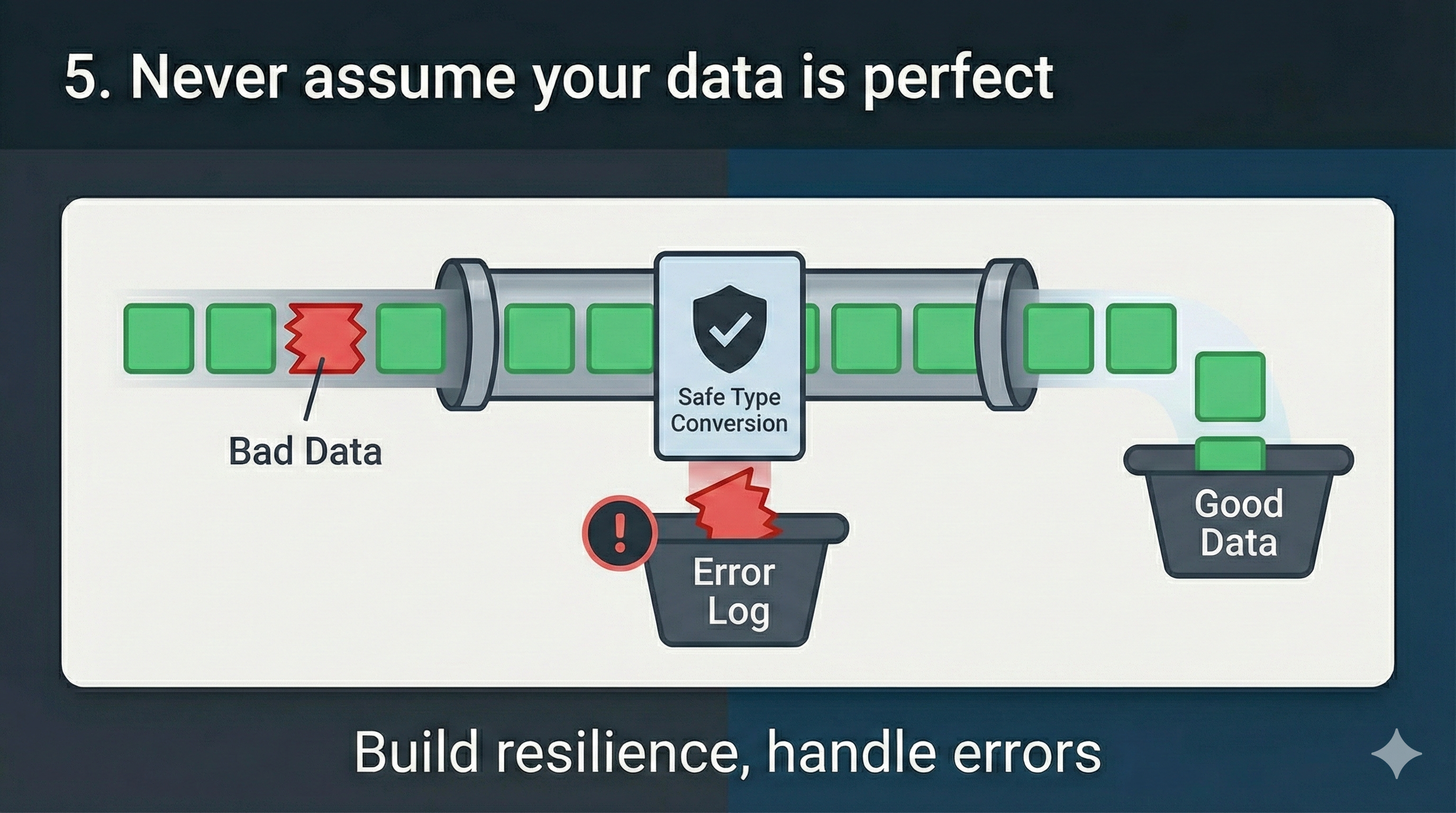
5. Never assume your data is perfect
Docs:
- https://learn.microsoft.com/en-us/power-query/dealing-with-errors
- https://learn.microsoft.com/en-us/power-query/working-with-duplicates
- https://learn.microsoft.com/en-us/power-query/error-handling
(aka: stop letting one bad row ruin your day)
Why this matters
Most dataflow failures are not “mysterious bugs.” They’re:
- A column that suddenly has text in a numeric field
- A schema change (new/missing column)
- Nulls where you didn’t expect them
- A JSON payload that changed shape
If you don’t bake resilience into the dataflow, your refresh becomes fragile. And fragile refreshes turn into ops work, which is the least fun kind of work.
How to do it
Two simple guardrails go a long way:
- Safe type conversions
- Use error-handling around conversions so “one weird value” doesn’t kill the whole refresh.
- Decide: do you replace errors with null, default values, or route them somewhere else?
- Schema tolerance (where appropriate)
- If your source is known to drift, plan for it.
- Decide if you want “fail fast” (strict schema) or “adapt and log” (flexible schema).
- If the data is business-critical, sometimes failing fast is the right choice — but do it intentionally.
What to expect
- More boring refreshes (that’s good).
- Fewer 2AM surprises.
- You’ll still want to surface data quality issues — the goal isn’t to hide problems, it’s to prevent small issues from taking down everything.

Conclusion
Dataflow Gen2 can be insanely powerful… but it can also feel slow, expensive, and frustrating if you treat it like “just another Power Query experience”. The good news is that most of the pain comes from a few common patterns and once you fix them, everything gets smoother: authoring, refresh times, and overall reliability.
These five tips are the ones that have consistently given me the biggest return on investment, both in time saved and capacity consumed.
Now I’m curious: which of these tips do you want me to dig deeper into? And more importantly… what do you think I’m missing?
Drop a comment below. I read every one, and I’d love to turn your feedback into the next post.

Comments